Can Someone Know If I View Their LinkedIn Profile Without Logging In?
LinkedIn is a powerful platform for professional networking, job searching, and building your personal brand. However, many users have concerns about privacy and wonder if someone can know if they view their LinkedIn profile without logging in. In this blog post, we'll explore LinkedIn's privacy settings, how profile views are tracked, and whether it's possible to browse profiles anonymously.
Outline
- Introduction
- How LinkedIn Tracks Profile Views 2.1. Logged-in Users 2.2. Anonymous Users
- Can Someone Know If You View Their Profile Without Logging In?
- Browsing LinkedIn Profiles Anonymously 4.1. Adjusting Your Privacy Settings 4.2. Using Private Browsing or Incognito Mode
- Implications of Anonymous Profile Viewing 5.1. Missed Opportunities for Networking 5.2. Potential Suspicion or Mistrust
- Best Practices for Viewing LinkedIn Profiles 6.1. Logging In and Viewing Profiles Openly 6.2. Engaging with Profiles You View 6.3. Respecting Others' Privacy
- Conclusion
Introduction
LinkedIn has become an essential tool for professionals looking to expand their network, find job opportunities, and showcase their skills and achievements. However, with the increasing focus on online privacy, many users wonder if their profile views are tracked and whether someone can know if they view their profile without logging in.
How LinkedIn Tracks Profile Views
LinkedIn tracks profile views differently for logged-in users and anonymous users. Let's explore how it works:
2.1. Logged-in Users
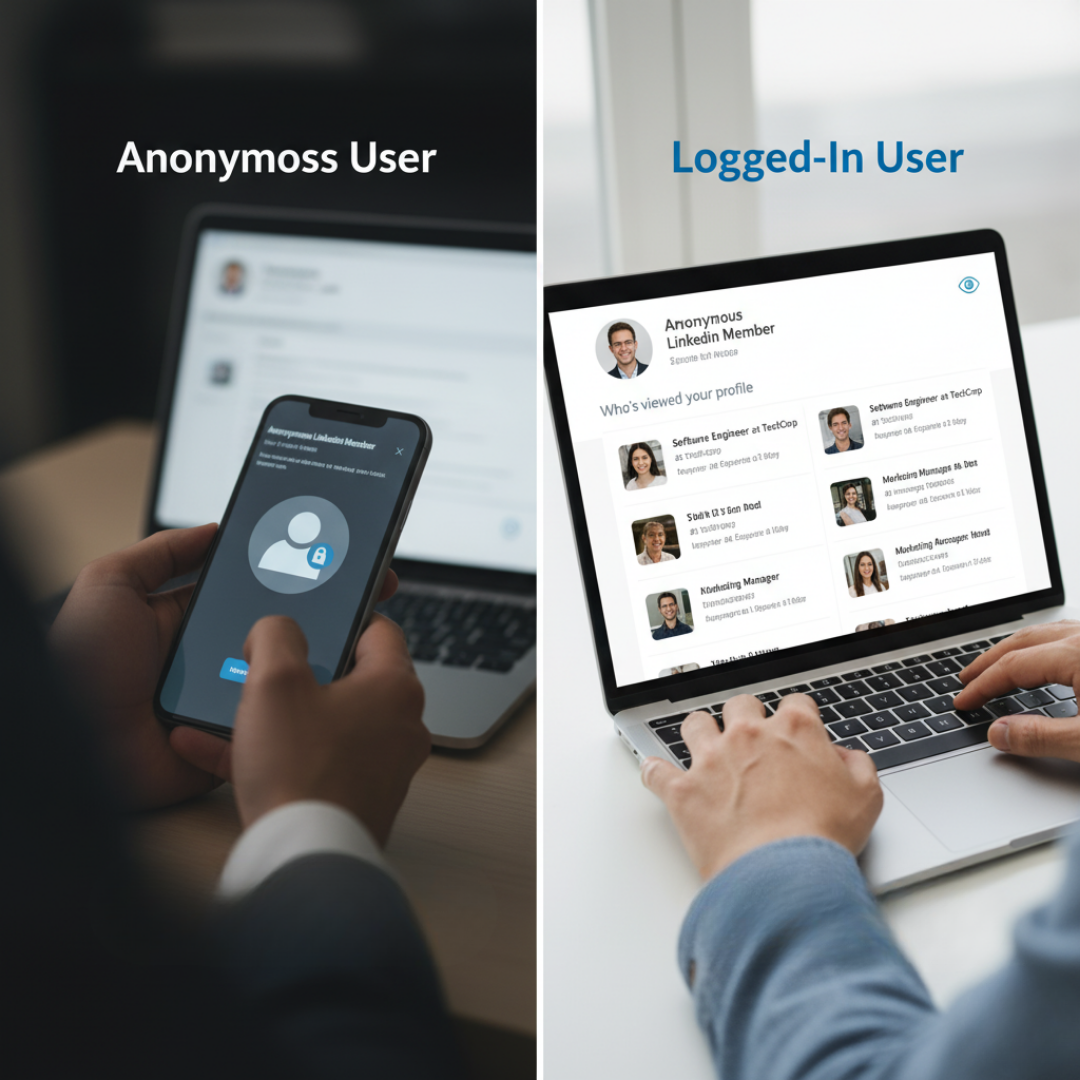
When you're logged into your LinkedIn account and view someone's profile, LinkedIn records this activity. The person whose profile you viewed will be able to see that you visited their page, along with some basic information about you, such as your job title and company.
2.2. Anonymous Users
If you view someone's LinkedIn profile without logging in, your view will be recorded as an anonymous view. The person will see that their profile was viewed by an anonymous user, but they won't be able to see any specific details about you.
Can Someone Know If You View Their Profile Without Logging In?
The short answer is no. If you view someone's LinkedIn profile without logging in, they won't be able to know it was you specifically who viewed their profile. They will only see an anonymous view in their profile view history.
However, it's important to note that if you view someone's profile multiple times within a short period, even without logging in, LinkedIn may display a semi-anonymous view to the person. This means they may see some generic information about you, such as your industry or location, but not your name or specific details.
Browsing LinkedIn Profiles Anonymously
If you want to browse LinkedIn profiles without the other person knowing you viewed their profile, you can do so by adjusting your privacy settings or using private browsing mode.
4.1. Adjusting Your Privacy Settings
LinkedIn allows you to control your privacy settings, including what others see when you view their profile. By changing your settings to "Private Mode," your profile views will appear as anonymous to others, even if you're logged in.
To adjust your privacy settings:
- Go to your LinkedIn settings
- Click on "Visibility"
- Under "Profile viewing options," select "Private Mode"
4.2. Using Private Browsing or Incognito Mode
Another way to browse LinkedIn profiles anonymously is by using your web browser's private browsing or incognito mode. When you use this mode, your browser doesn't save your browsing history, cookies, or login information. This means that LinkedIn won't be able to track your activity or associate it with your account.
To use private browsing or incognito mode, follow these steps:
- Google Chrome: Click on the three dots in the top-right corner and select "New Incognito Window"
- Mozilla Firefox: Click on the three lines in the top-right corner and select "New Private Window"
- Safari: Click on "File" in the top menu and select "New Private Window"
Implications of Anonymous Profile Viewing
While browsing LinkedIn profiles anonymously may seem appealing for privacy reasons, it's important to consider the potential implications:
5.1. Missed Opportunities for Networking
When you view someone's profile anonymously, you miss out on the opportunity to connect with them and potentially build a professional relationship. If the person sees that you viewed their profile, they may be more likely to reach out and initiate a conversation.
5.2. Potential Suspicion or Mistrust
If someone notices a high number of anonymous views on their profile, they may become suspicious or feel that someone is monitoring their activity without revealing their identity. This can lead to mistrust and may negatively impact your professional reputation if the person discovers it was you.
Best Practices for Viewing LinkedIn Profiles
To make the most of LinkedIn while respecting others' privacy, consider following these best practices:
6.1. Logging In and Viewing Profiles Openly
When possible, log into your LinkedIn account and view profiles openly. This allows for transparency and potential networking opportunities. If you're concerned about privacy, adjust your settings to control what others see when you view their profile.
6.2. Engaging with Profiles You View
If you view someone's profile and find their work or background interesting, consider reaching out to them with a personalized connection request or message. Explain why you'd like to connect and how you might be able to help each other professionally.
6.3. Respecting Others' Privacy
Remember that while LinkedIn is a professional platform, people still value their privacy. Avoid excessively viewing someone's profile or using anonymous viewing to monitor their activity. Focus on building genuine connections and engaging in meaningful interactions.
Conclusion
In conclusion, while LinkedIn does track profile views, someone cannot know if you view their profile specifically if you do so without logging in. However, it's important to consider the potential implications of anonymous viewing and weigh the benefits of transparency and networking opportunities.
By understanding LinkedIn's privacy settings, using best practices for viewing profiles, and respecting others' privacy, you can effectively navigate the platform and build valuable professional relationships.
Word Count: 1021 words Focused Keyword: "linkedin profile view anonymous"
Related Posts
- How Ai Comment Generators Improve Social Media Roi
- Boosting Organic Engagement On Facebook Using Ai Tools
- Email Ai Chrome Extension